Two-Layer Security Overview
Every vote cast through the Swansea Meeting Vote system must clear two independent security checks before it is recorded. Passing one is not enough — both must succeed simultaneously, at the exact moment the vote is submitted.
(QR Token)
(Physical Presence)
Layer 1 — Voter Pass: At check-in, each registered voter receives a printed QR code. Scanning it binds a unique cryptographic token to that voter's device. The server verifies this token on every vote submission. A missing, forged, or stolen token causes an immediate rejection.
Layer 2 — GPS Geofence: When a vote opens, the voter's device reports its GPS coordinates to the server. The coordinates must fall within the moderator-configured radius around the high school auditorium at that exact moment. A voter who has left the building — or who is not there at all — fails this check and cannot vote.

The Meeting Settings panel shows both security layers configured for an active meeting: geofencing is enabled with a GPS anchor point and a configurable radius, and voter passes have been generated for distribution.
Voter Pass / QR Token Technology
What it is
Each printed voter pass contains a unique identifier stored in the system's database and linked to one specific meeting. Before the meeting day, the moderator generates a batch of these passes — one per expected attendee — and prints them for distribution at the check-in table.
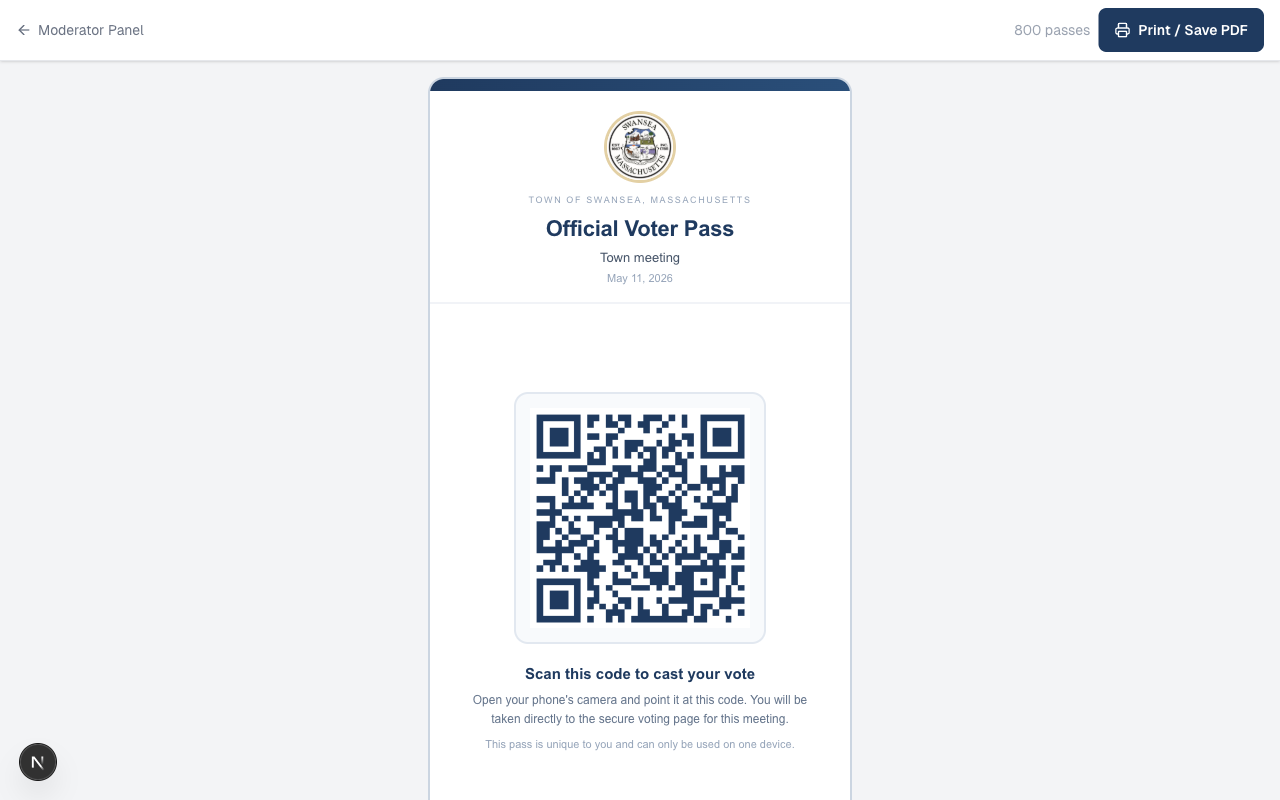
An Official Voter Pass issued for a Town of Swansea meeting. The QR code encodes a unique token tied to this specific meeting — scanning it on any other device after the first claim is rejected by the server.
How check-in works
A volunteer at the check-in tablet searches the voter roll for each attendee, confirms their name and address, and then hands them one printed pass. The attendee scans the QR code with their phone camera. At that moment, the server records which device claimed the pass — a process called "claiming" the token.
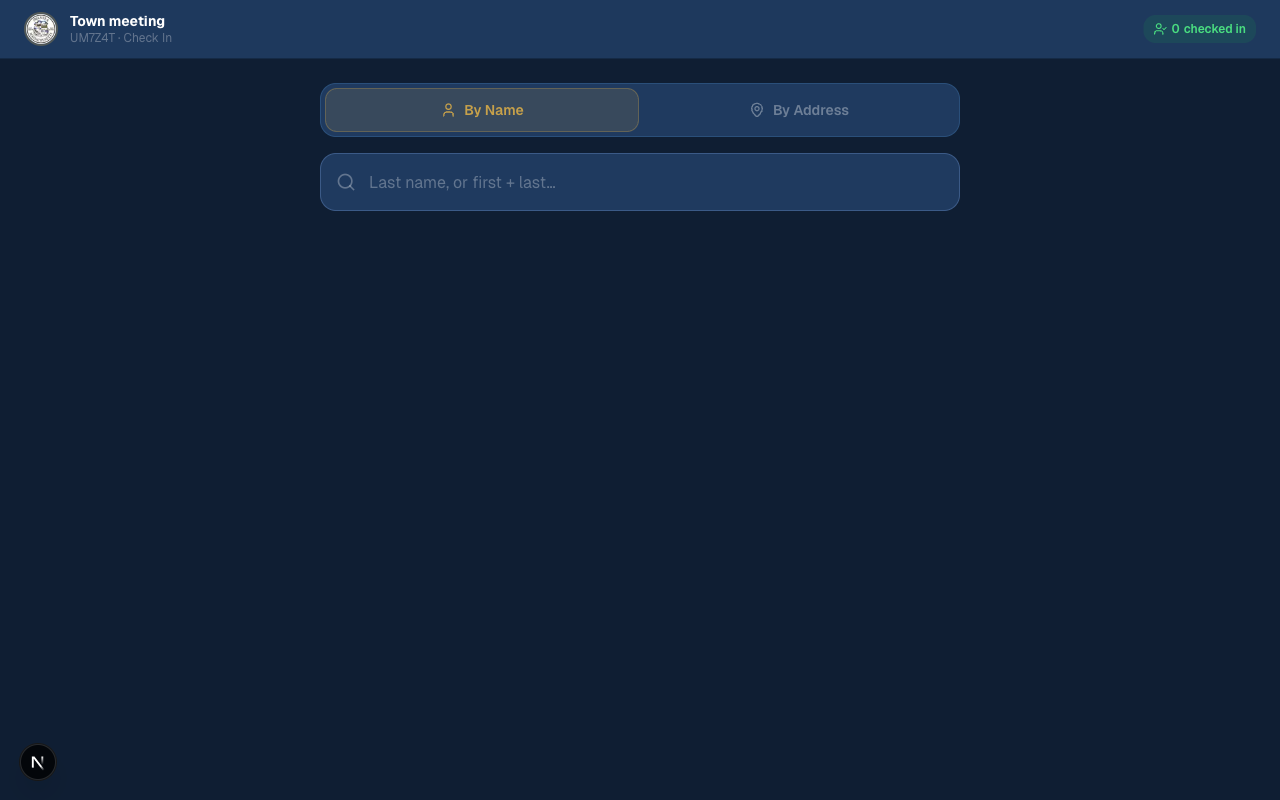
The check-in tablet lets volunteers look up voters by name or address before issuing a pass.
How the token is secured
When the attendee scans the QR code, the system records a unique device fingerprint alongside the token. From that point forward, the token and the device are permanently paired for this meeting. The system also issues a short-lived join token — an HMAC-SHA256 cryptographic signature — that proves this device went through the official join process. Every vote submission must carry both the voter token and the join token. The server verifies the join token's cryptographic signature on each vote request, with an 8-hour expiry that covers the full duration of a town meeting.
1. Is the join token's HMAC signature valid for this (meeting, device) pair?
2. Does a voter pass exist in the database for this meeting?
3. Is the voter pass claimed by this same device fingerprint?
4. Has this device already voted in this session? (duplicate check)
5. Is the GPS location within the geofence radius? (Layer 2)
// All five must pass. Any failure returns an error — no vote is recorded.
Meeting-scoped tokens
Every voter pass is tied to a single meeting's database record. A pass from last month's Annual Town Meeting cannot be used at tonight's Special Town Meeting — the server checks the meeting ID on every vote and rejects any mismatch. After the meeting closes, all passes for that meeting are deactivated automatically.
One device per pass
Once a pass is claimed by a device, no other device can use it. If a second device attempts to scan the same QR code, the server detects the fingerprint mismatch and blocks the attempt with an explicit error message. The claim is atomic — the database uses a conditional update that prevents two devices from claiming the same pass simultaneously even in a race condition.

The settings panel confirms "One per attendee · one device only" for the generated passes.
What it would take to game this
To cast an unauthorized vote using a stolen token, an attacker would need to physically take another voter's phone — already unlocked and with the meeting app open — before or during the vote. They would then also need to be inside the geofence radius simultaneously. This combination is implausible in a town meeting environment where attendees are seated together in a public hall.
GPS Geofencing Technology
What it is
Geofencing requires each voter's device to report its physical GPS coordinates to the server at the moment a vote is submitted. The server computes the distance between those coordinates and the high school auditorium's GPS anchor point using the Haversine formula — the same mathematical method used in navigation apps — and rejects any device outside the configured radius.
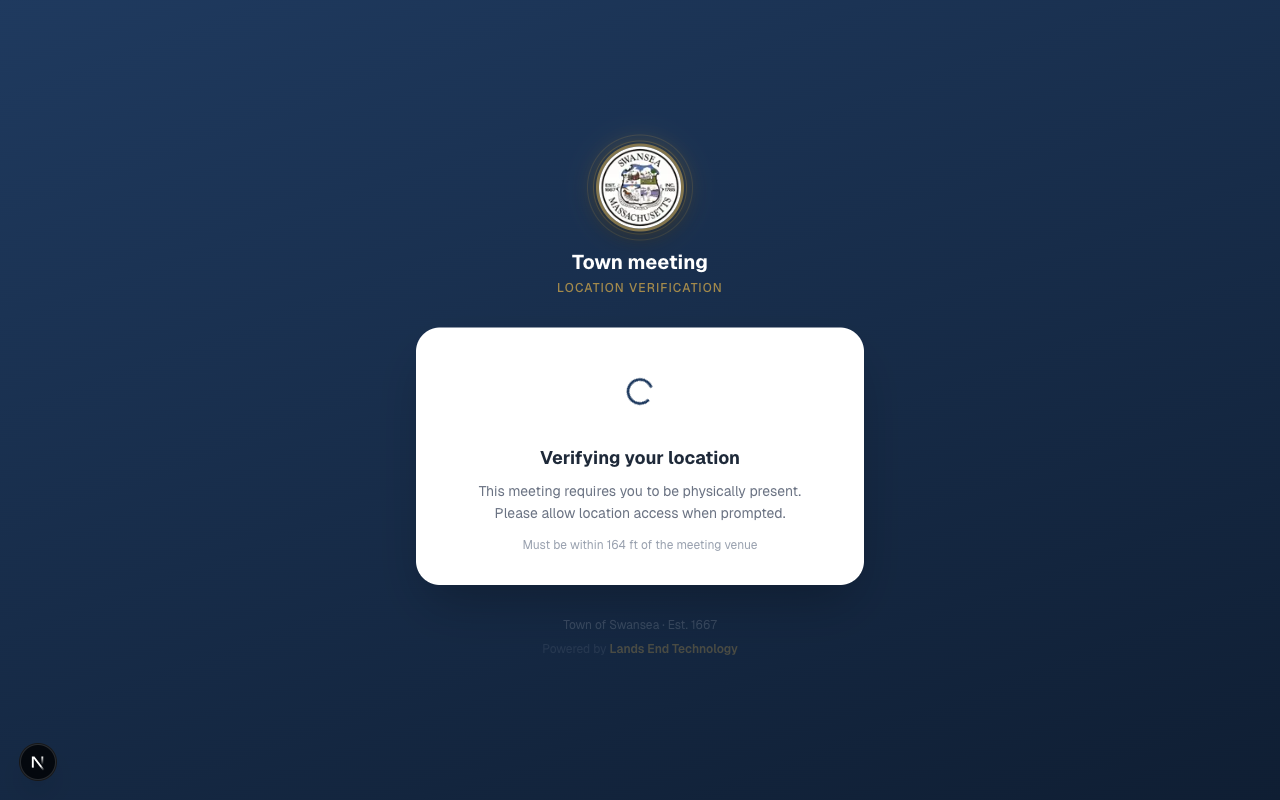
The voter's phone shows a location verification screen while GPS coordinates are being confirmed. The voter cannot proceed until their location is verified.
How it is configured
The moderator enables geofencing from the Meeting Settings page. The system uses the moderator's device GPS at the moment they click Update Location to set the anchor coordinates. The moderator also selects the radius — from 164 feet (a tight perimeter for a small hall) up to approximately half a mile for a larger venue or outdoor gathering.
Geofencing is active on this meeting: the anchor is set to coordinates 41.80189, -71.18856 with a 164-foot radius. The moderator can adjust the radius from a dropdown without needing to re-set the location.
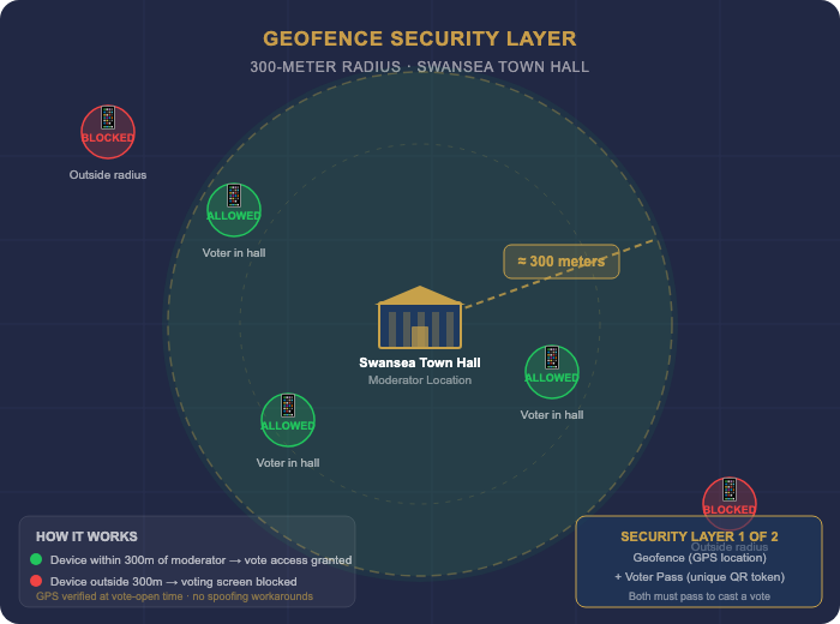
A visual representation of the geofence perimeter around the meeting venue. Only devices physically inside the circle can cast a vote.
GPS accuracy
Modern smartphones achieve 3 to 10 meter GPS accuracy outdoors under clear sky. Indoors, accuracy typically falls to 10 to 50 meters depending on window proximity and building construction. The system accounts for this in two ways:
- The moderator can set a radius that comfortably encompasses the building and its immediate surroundings — a 164-foot (50-meter) radius is generous enough to cover any accuracy variation while still excluding the parking lot and street.
- The system enforces a hard accuracy cap: any device reporting a GPS fix coarser than 150 meters is rejected outright. This prevents a device with a completely unreliable signal from submitting a wildly incorrect location and accidentally passing the geofence check.
What it would take to game this
GPS spoofing — reporting false coordinates to a server — is not a capability available on standard consumer smartphones by default. To spoof GPS, an attacker would need to do one of the following:
- Root or jailbreak their phone and install a mock location application, then enable developer mode and configure it before the meeting.
- Use a Software Defined Radio (SDR) transmitter — specialized hardware costing hundreds of dollars — to broadcast fake GPS satellite signals in the vicinity of the meeting, overriding real satellite signals for all nearby devices.
Neither of these is a casual or improvised attack. Both require deliberate preparation, technical expertise, and in the case of SDR-based spoofing, equipment that must be physically present at the meeting location. An SDR transmitter broadcasting on GPS frequencies near a public building would also expose the operator to significant federal legal risk under FCC regulations.
The Combined Defense
The attacker must defeat both layers simultaneously
The critical property of a two-layer system is that each layer's defenses are independent. A weakness in one layer does not open a path unless the attacker also defeats the other. Consider what a determined bad actor would actually need to accomplish:
- Obtain a valid voter pass for someone else — requiring physical access to a printed QR code not yet scanned, or access to another voter's unlocked device after check-in.
- Claim that voter pass on their own device — which must happen before the original voter scans it, as the claim is first-come, first-served.
- Be physically inside the geofence radius — or deploy active GPS spoofing hardware at the meeting site — at the exact moment a vote is opened.
- Do all of this without being observed in a room full of neighbors, selectpersons, and town officials.
This combination of requirements — physical access, device access, technical equipment, and concealment in a public setting — represents a bar that far exceeds any realistic threat in the context of a Swansea town meeting.
How this compares to the alternatives
| Method | Audit Trail | Fraud Resistance | Data Stays in Town Control | Verifiable Record |
|---|---|---|---|---|
| Voice vote (yea/nay) | ✕ None | ✕ Moderator estimation, no individual record | ✓ Yes | ✕ No |
| Paper ballot (unsigned) | Partial | ✕ Ballot stuffing, no device binding | ✓ Yes | Manual recount only |
| Third-party app (Zoom poll, etc.) | Partial | Varies by app | ✕ Data on vendor servers | ✕ Vendor-controlled |
| Swansea Meeting Vote | ✓ Full — timestamp, device, choice | ✓ Token + geofence, both required | ✓ Town-owned database | ✓ Exportable CSV for official record |
Audit Trail & Reporting
What is recorded
Every vote is recorded in the database with a precise timestamp, the voting session it belongs to, and the device fingerprint that cast it. This creates a verifiable record that is tamper-evident: votes cannot be altered after the fact without leaving a trace in the database log.
- Timestamp: The exact date and time each vote was submitted, to the millisecond.
- Session binding: Each vote is linked to the specific article (voting session) it was cast on — there is no ambiguity about which question a vote answers.
- Device binding: The device fingerprint ties each vote to the specific phone or tablet that submitted it, matching back to the voter pass claimed at check-in.
- Duplicate protection: The database enforces a unique constraint on the (session, device) pair at the data layer — not just in application code. A second vote attempt from the same device on the same session is rejected with a database-level conflict error, even if two requests arrive simultaneously.
Moderator reporting
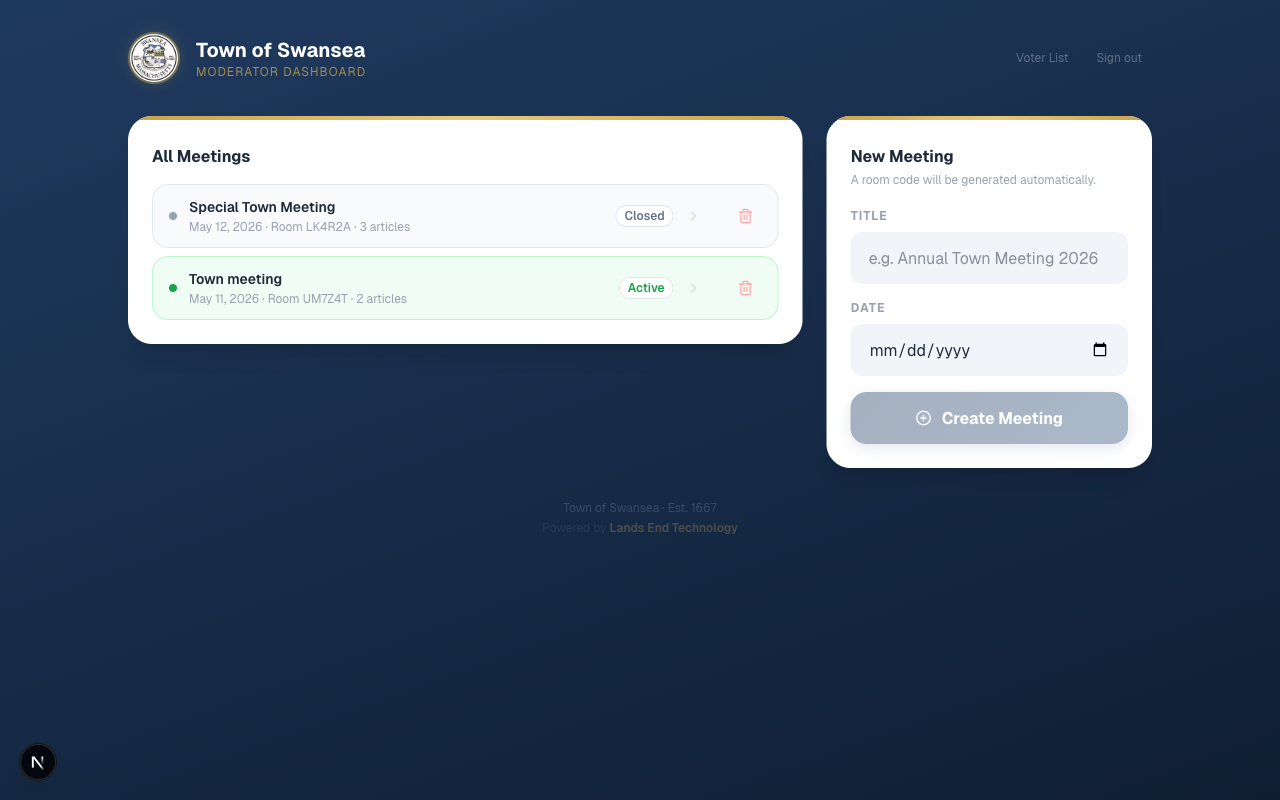
The moderator dashboard provides a complete view of all meetings, their status, and article counts — a running record of every session the system has conducted.
- The control panel displays live YES / NO / ABSTAIN tallies and total vote count as votes are cast.
- After a vote closes, the outcome — Passed, Failed, or Tie — is calculated automatically and locked.
- The meeting results can be exported as a CSV file for inclusion in the official town meeting minutes.
- A display page, suitable for projecting on screen in the hall, shows the live tally so the room can observe results in real time.
Double-vote detection
If the same device attempts to vote twice on the same article, the system detects this at the database level and returns an "Already voted" error. The attempt is logged. Because each voter pass is bound to one device, this effectively means one vote per voter per article.
What the System Does Not Claim
Honest representation of a system's limitations is as important as describing its strengths. The Swansea Meeting Vote system is designed for a specific context — a New England town meeting — and its security model is calibrated accordingly.